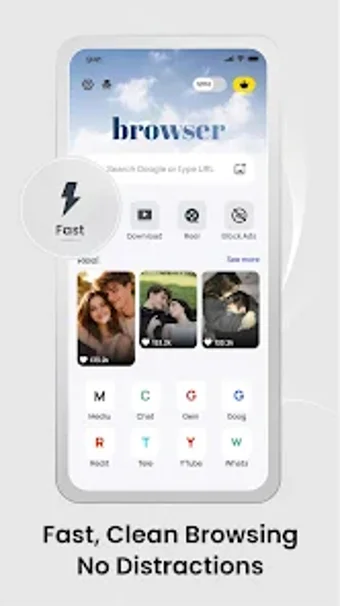
Phantom: Ultra Private Browser, an Android tool for local privacy
Phantom: Ultra Private Browser, developed by Kaizo Innovation, is an Android browser designed to prevent local traces of web activity by erasing session data when closed. It operates in permanent incognito mode and blocks trackers and ads to speed page loads, with isolated tabs and a no-logs policy to protect on-device privacy. The app targets privacy-conscious users, researchers, and anyone accessing sensitive information who needs a 'burn-after-reading' browsing environment. It runs on a broad set of Android devices.
What does Phantom actually do?
Phantom is a privacy-first mobile browser that treats every session as ephemeral, automatically removing session artifacts when the application exits. The design centers on automatic data erasure of browsing history, cookies, and temporary files, and enforces a no-logs policy so activity is not stored on remote servers. Secure tab management isolates each tab to prevent cross-session leakage during multi-tab use.
Does it affect device performance during browsing?
The browser uses a lightweight architecture optimized for low resource consumption, which supports smooth operation on entry-level hardware. An integrated ad-blocker and tracker filtering reduce network requests and page resource load, contributing to faster page rendering and lower data usage. Background activity is minimal when idle, and tab isolation limits cross-tab memory retention to reduce CPU and RAM pressure during extended sessions.
Is the app safe from a privacy and security standpoint?
Security measures focus on minimizing local and third-party exposure: the built-in ad-blocker filters marketing trackers at the browser level, and isolated tabs prevent session bleed between sites. The application does not preserve credentials or form data after a session, so stored login data is avoided by design. These controls reduce on-device traces and lower the chance of cross-site tracking from loaded content.
Do I need technical knowledge to operate it correctly?
The browser requires little setup: privacy mode and ad filtering are active by default, so casual users can begin private browsing without configuration. That simplicity suits non-technical workflows, but it enforces a trade-off: session data is transient, so recovering logins or history after closing is not possible. Community feedback highlights the app's simple, burn-after-reading behavior rather than advanced customization.
Phantom is a focused choice for ephemeral, device-side privacy
Phantom fits users who prioritize transient browsing over saved sessions and who separate sensitive tasks from everyday accounts. Expect reduced convenience if you rely on persistent logins; pair the browser with a VPN for network-level anonymity when needed. Practical tip: reserve the browser for sensitive sessions and keep a second browser for routine accounts. It rewards users who accept the trade-off between convenience and stronger local anonymity.
Pros
Automatic erasure of history, cookies, and cache on app exit
Integrated ad-blocker reduces tracking and speeds page loads
Lightweight architecture supports smooth performance on entry-level devices
Secure tab isolation maintains separate private sessions per tab
Cons
No integrated VPN for IP-level anonymity
Browsing history cannot be recovered after app closure
Not suited for workflows requiring saved logins or persistent sessions
Laws concerning the use of this software vary from country to country. We do not encourage or condone the use of this program if it is in violation of these laws. Softonic may receive a referral fee if you click or buy any of the products featured here.